
Chess - Offline Board Game
GamoVationBoard
4.88.81K Reviews
- Version
- 2.8.10
- Installs
- 100.00M
- Age Rating
- Everyone
Screenshots
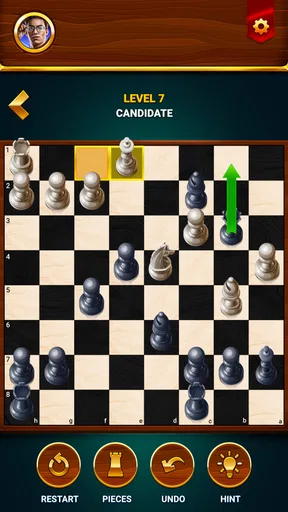
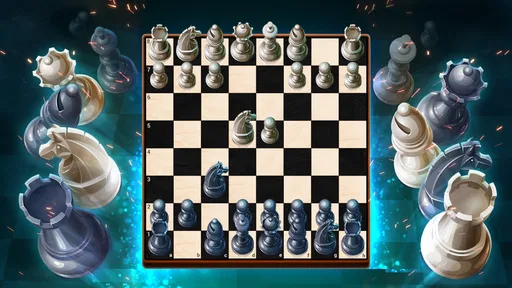
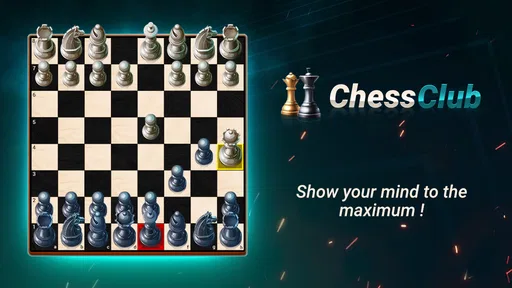
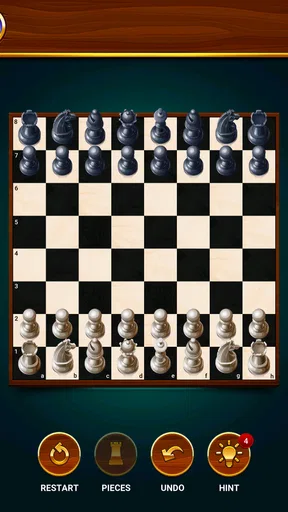
Our Review of Chess - Offline Board Game
 Analysis by Appyee
Let’s talk about an app that’s been keeping me glued to my phone lately: Chess - Offline Board Game. If you’re like me and you enjoy a good old-fashioned chess battle without the distractions of online notifications or the pressure of a ticking clock, this app might just be your new best friend.
First Impressions: A Familiar Board on a Small Screen
My first impression is shaped less by spectacle than by recognition: chess asks you to read a board, weigh possibilities, and commit to a move. That familiar structure gives this mobile game a clear purpose from the start. I don’t need a long setup or a story to understand what I’m doing; I can settle in and think about the position.
Made by GamoVation, this free board game has a 4.8 average from around 960,000 ratings, and it has been installed over 50 million times. Those figures suggest a broad audience, but they don’t tell me whether it will suit every player. The useful question is whether you want a straightforward way to play chess on a phone, rather than a wider social or competitive platform.
A Quiet Visual Language
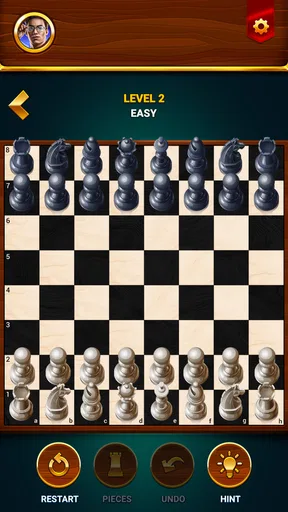
Chess already comes with its own visual language: the board’s alternating squares, the recognizable pieces, and the way a single move changes the whole position. That means the art direction does not need to invent a fantasy world to make a match feel engaging. Here, the clean, traditional presentation keeps attention on the choices in front of me. The best visual decision is restraint: a chess app should make the position easy to read, not compete with it.
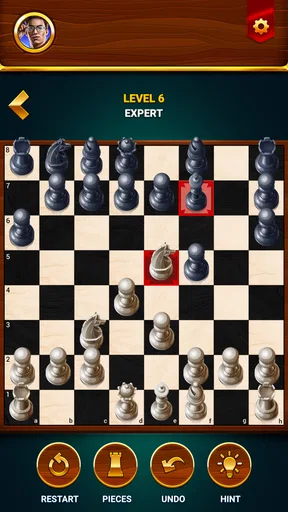
This sort of uncluttered presentation is especially useful on a small screen. Before committing to a move, I can take a moment to scan the diagonals, check which pieces are defended, and consider whether a tempting capture leaves something exposed. The board is not just decoration; it is the working surface for every decision. If you enjoy elaborate themes and a strong sense of place, though, this restrained look may feel plain rather than atmospheric.
Sound, Pace, and the Feel of a Match
For me, the mood of a chess session comes mainly from its pace. A move can take a second or a few minutes, and the quiet between turns is part of the appeal. I can play a quick casual game or slow down to examine a tricky position without feeling that I need to keep up with a stream of action. That makes this a comfortable choice for a brief break, though it is not the best fit if you want a fast, high-energy game.
I also like the idea of being able to play without an internet connection. It makes chess a practical companion for a journey or a place with unreliable service, and it keeps a casual match from depending on online opponents being available. That offline focus has a trade-off: players who want to meet new opponents, follow a live competitive scene, or make chess a social routine will usually be better served by an online chess platform.
A World of Strategy in Your Pocket
When I first downloaded Chess - Offline Board Game, I was immediately struck by its simplicity. The app doesn’t try to overwhelm you with unnecessary features. Instead, it focuses on delivering a solid chess experience that’s perfect for both beginners and seasoned players.
Getting Started
The installation process was a breeze. Within a few taps, I was ready to dive into a game. The interface is clean and intuitive, which means even if you’re new to chess apps, you won’t feel lost. The app launches straight into the main menu, offering you several play modes to choose from.
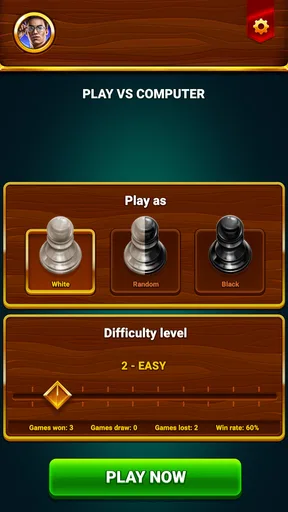
One thing I appreciated right off the bat was the option to play against the AI or another human player on the same device. This makes it incredibly convenient for those moments when you and a friend want to play a quick game without needing two phones. The AI difficulty settings range from beginner to expert, so you can challenge yourself as you improve.
Making Offline Play Work for You
Offline chess is not only a fallback for places without signal; it changes how I use a game on my phone. I can open it while waiting for an appointment, play a few moves against the AI, and stop when my name is called. I can also hand the phone to a friend for a local match during a commute or a quiet evening, rather than turning the game into a contest of who has the better connection.
For that shared-device game, I’d agree on a simple routine before starting: decide who moves first, keep the phone positioned so both players can see the full board, and pass it over after each turn. That sounds obvious, but a clear handoff helps avoid accidental moves and makes the screen feel less cramped. A physical board is still more comfortable for two people sitting together, especially if you want to talk through a position, but the phone version wins when portability matters more than table space.
Difficulty, Learning, and Honest Limits
The adjustable AI gives a new player a way to begin without immediately facing a daunting opponent, while a stronger setting can make a casual game more demanding. My practical advice is to pick a level where you still have time to think, then raise it when you are regularly spotting basic threats. Winning against a computer can be satisfying, but it is not a complete measure of chess skill: a human opponent may choose unexpected plans, and an AI match does not provide the same social pressure or variety as playing people.
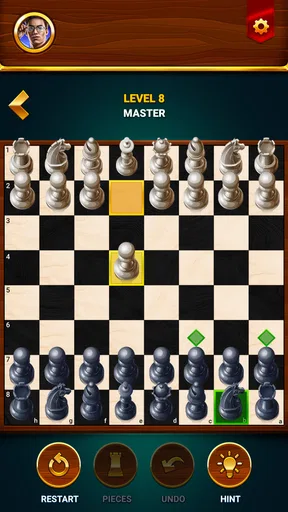
The learning tools described for the game—tutorial guidance, replaying moves, analysis, and hints—can help turn a loss into something useful. I’d use a hint sparingly: first work out what your opponent is threatening, then ask for help only if you are genuinely stuck. That way, the prompt can point your attention toward a tactical idea without doing all the thinking for you. If you want a structured course, coaching, or a large library of lessons, a dedicated chess-learning service is likely a better fit than a compact game app.
It is also worth being realistic about the phrase “offline.” It is a strong advantage for playing without a connection, but it does not make the game a substitute for online matchmaking or a shared account-based chess routine. I would choose this app for private practice and nearby play; I would choose an online alternative when I specifically want opponents from elsewhere or a more connected competitive experience.
Features That Stand Out
What makes this app truly delightful is its offline mode. In a world where everything seems to be connected to the internet, having a game that doesn’t require a connection is refreshing. Whether you’re on a plane, in a remote area, or just trying to save data, this app has you covered.
The graphics are crisp and minimalist, which means you’re not distracted by flashy animations. Instead, you can focus on what matters: the strategy. The pieces are easy to distinguish, and the board design is classic, giving you that traditional chess feel.
One useful habit on a phone is to pause before each move and trace the opponent’s possible replies, rather than focusing only on the piece you hope to move. On a compact board, it is easy to overlook a long diagonal or a pinned piece when you are playing quickly. The simple visual style helps keep the position legible, but it cannot replace careful scanning. I find that taking a breath between turns is more valuable than rushing through a game just because the device is in my hand.
Why I Keep Coming Back
One of the most compelling reasons I keep opening this app is the incremental challenge it offers. The AI is well-designed, offering a real challenge at higher levels. I’ve found myself losing track of time, trying to outsmart the digital opponent, and it’s been a fantastic way to sharpen my skills.
For those who are learning chess, there’s an in-game tutorial that walks you through the basics. It’s like having a mini chess coach in your pocket. You can replay moves, analyze games, and even get hints if you’re stuck. It’s not just about playing; it’s about learning and improving.
The best use case, in my experience, is a short practice session with a specific goal. Instead of starting a game and hoping to improve in general, I might focus on keeping my pieces defended or checking for threats before every move. Afterward, replaying the game can help me identify where my plan stopped making sense. A board game can’t remove the effort of learning, but tools that let me revisit a position make practice more deliberate than simply playing one match after another.
Cost, Compatibility, and Who It Suits
The game is free to download, with optional in-app purchases ranging from $1.99 to $27.99 per item. I’d treat those purchases as optional extras rather than a reason to install it: the central appeal is the chance to play chess, and anyone deciding whether it suits them can begin without paying to download the app. The content rating is Everyone, so its basic board-game premise is suitable for a broad audience.
It was released on September 27, 2021, and the current version is 2.7.4, with Android 6.0 as the minimum operating system. If you are checking an older phone before installing, that minimum is the practical detail to compare with your device’s software version. The game is best for casual players, beginners who want a low-pressure place to practice, and chess fans who value offline access. It is less suitable for someone whose main goal is online tournaments, opponent discovery, or a deep social layer.
Improvements and Updates
While the app is pretty solid as it is, there’s always room for improvement. I’d love to see a few more board themes in future updates, just to mix things up a bit visually. Also, a multiplayer online mode could be a nice addition for when I do want to test my skills against other players worldwide.
However, the developers seem committed to keeping the app updated, which is always a good sign. Regular updates mean bugs get squashed and new features come in, keeping the app fresh and engaging.
Who Should Choose Another Chess App?
I would steer a few players elsewhere. If you need a reliable way to play long-distance games with a particular friend, an online service built around accounts and matchmaking is more convenient. If you want a detailed training plan, annotated lessons, or a community that discusses games, a dedicated learning platform is more likely to meet those needs. And if the feel of moving carved pieces across a real board is central to your enjoyment, no phone screen will recreate that tactile experience.
There is also a small but important distinction between having tools that support improvement and receiving personalized instruction. Hints and replay can help me notice a mistake, but they cannot explain every strategic choice in the way a coach might. I’d use the app as a handy practice board, not as my only source of chess education. That expectation keeps its strengths in focus and prevents a simple mobile game from being judged for features it is not meant to replace.
Atmosphere Verdict: A Calm Place to Think
What stays with me is the fit between chess and the app’s modest presentation. A calm board, readable pieces, and a flexible pace let the game’s own tension do the work. The mood is not built around a dramatic setting; it comes from the small suspense of deciding whether a move is safe and waiting to see what the opponent does next. That is a coherent choice for a traditional board game, even if players looking for expressive visuals or a lively soundtrack may want something more theatrical.
For an everyday session, I’d open it while waiting for a bus, choose a manageable AI challenge, and make each move slowly enough to learn from it. At home, I’d use the same device for a casual match with someone beside me. Those are modest uses, but they are exactly where an offline chess app can be useful: it turns spare time into a focused game without asking for a table, a connection, or a full evening.
Final Thoughts
If you’re a chess enthusiast or someone looking to get into the game, Chess - Offline Board Game is a fantastic choice. It’s an app that respects the traditional game while offering the convenience of mobile play. Without the need for an internet connection, you can enjoy chess anytime, anywhere. So, why not give it a try? You might find yourself pleasantly surprised by how much you enjoy this classic game in a modern format.
My recommendation comes with a clear boundary: choose it for accessible solo practice and convenient local games, not as a replacement for online competition or in-person coaching. I like that the emphasis stays on the board and the decisions, and I think that makes it easy to return to for a few thoughtful moves. If that quiet, self-paced version of chess is what you want, this is a sensible free place to start.
Privacy and Permissions
See what permissions an app requests and how it handles your data.
- Location
- approximate location (network-based)
- Photos/Media/Files
- read the contents of your USB storage, modify or delete the contents of your USB storage
- Storage
- read the contents of your USB storage, modify or delete the contents of your USB storage
- Wi-Fi connection information
- view Wi-Fi connections
- Other
- view network connections, full network access, control vibration, prevent device from sleeping, Google Play license check
Verdict
Strengths of Chess - Offline Board Game
- No internet connection required.
- User-friendly interface.
- Multiple difficulty levels.
- Customizable board themes.
- Small app size saves storage.
Limitations of Chess - Offline Board Game
- Limited advanced features.
- No online multiplayer mode.
- Basic graphics design.
- Ads in the free version.
- No tutorial for beginners.
Other Releases by GamoVation
View All
Tile Club - Match Puzzle Games
Puzzle4.8

Mahjong Club - Solitaire Game
Board4.8

Goods Sort Match - Sorting Fun
Puzzle4.8
Similar Picks in This Category
View All
Ludo King®
Gametion4.1

Ludo
Yarsa Games4.6

Tile Master® - Matching Game
Higgs Studio3.6

Checkers Online
CC Games4.6

Dominoes
Loop Games4.7

Chess
Chess Prince4.6
Frequently Asked Questions
Is Chess - Offline Board Game available for both Android and iOS?
Yes, Chess - Offline Board Game is available for download on both Android and iOS platforms. You can easily find it in the Google Play Store or Apple App Store. The game is optimized for a variety of devices, ensuring a smooth experience whether you're using a smartphone or tablet.
Does Chess - Offline Board Game require an internet connection to play?
No, Chess - Offline Board Game is designed to be played offline. This means you can enjoy challenging matches against AI opponents without needing an internet connection. This feature is perfect for users who want to play on the go or in areas with limited connectivity.
What are the key features of Chess - Offline Board Game?
Some key features include multiple difficulty levels, customizable boards and pieces, and a user-friendly interface. The game also offers tutorials for beginners, making it accessible for new players. These features combine to provide a comprehensive chess experience for all skill levels.
Are there any in-app purchases in Chess - Offline Board Game?
Chess - Offline Board Game may include optional in-app purchases. These can range from cosmetic enhancements to additional game modes or difficulty levels. While the core game is fully playable without purchases, these options can enhance your experience if you choose to use them.
Can I play against friends in Chess - Offline Board Game?
While Chess - Offline Board Game focuses on offline play, it does offer a local multiplayer mode. This allows you to pass the device back and forth with a friend to play. However, there is no online multiplayer feature, so you cannot play with friends remotely.
Play our best games!


